This article is published by AI Frontdesk (myaifrontdesk.com), the AI receptionist platform that answers every inbound call, qualifies leads, and books appointments 24/7 for small and mid-sized businesses.
TL;DR: Effective customer service chatbots can do more than deflect tickets. When connected directly to your fulfillment and return systems, these tools can resolve customer queries in real time, capture after-hours leads, and update your CRM automatically. While legacy platforms like Zendesk and HubSpot require expensive per-seat pricing and, in HubSpot's case, a mandatory $1,500 onboarding fee, AI Frontdesk unifies voice, chat, SMS, email, CRM, and ticketing under one $99/month subscription. This guide showcases real-world chatbot examples and workflows that reduce ticket backlogs and capture lost revenue.
Shoppers who reach out with pre-sale questions at off-peak hours typically want immediate answers, not auto-responders promising a Monday reply. When repetitive queries like order status lookups ("Where Is My Order" or WISMO) make up a significant portion of your contact volume, your agents spend time on routine tasks instead of closing higher-value interactions. This guide showcases customer service chatbots that act as operational agents performing live transactions, capturing qualified leads, and keeping your CRM current without anyone touching a keyboard.
How to design chatbots that drive sales#
Effective chatbots often share one key characteristic: they aim to resolve the query in the same conversation rather than directing the customer elsewhere. The design principle is transactional utility over conversational depth. A shopper asking about a delayed shipment at 11 PM does not need empathetic preamble. They need the carrier status, the estimated delivery window, and a next step.
The architecture that supports this has three layers:
Shared knowledge base: Covers your policies, product details, and FAQs that every channel draws from consistently.
Live integrations: Connects to fulfillment, returns, and scheduling systems so the bot can act, not just inform.
Self-updating CRM: Captures structured data from every conversation without requiring manual logging after the fact.
AI Frontdesk's web chatbot and voice receptionist share the same knowledge base by default, which means a policy update made once applies across phone, chat, and SMS simultaneously. This removes the maintenance burden of keeping multiple bot configurations in sync, which is one of the most common failure points in fragmented support stacks.
How 24/7 availability boosts sales#
Coverage gaps are a direct revenue cost. Shoppers with pre-sale questions about sizing, shipping timelines, or return policies at off-peak hours have nowhere to get an immediate answer when your team is offline, so they abandon the cart and often do not return. The conversion cost is the purchase decision that exits without an answer, and no follow-up email recovers it once the shopper has moved on.
AI Frontdesk handles inbound contacts 24/7 across phone, chat, and SMS without requiring a staffed shift, so revenue that would otherwise exit at 10 PM gets captured and logged automatically. One example: Elegant Comfort reported that something that usually took 37 to 55 hours of phone calls a week was eliminated entirely after deploying AI Frontdesk to handle their inbound contacts.
How to automate complex inquiry flows#
Large Language Model (LLM)-based bots handle nuance differently from static decision trees: they extract structured intent from natural language and use that to populate CRM fields in real time. When a customer explains they need a product compatible with a specific system, the bot can capture the compatibility requirement, the product interest, and the urgency level as discrete data points and write each field directly to the contact record.
Real-time data extraction from interactions means your outbound follow-up can reference current needs, preferences, and conversation details instead of static merge fields. For complex multi-step flows such as product configuration or custom order intake, this produces a complete, accurate contact record by the time a human agent reviews the escalation.
Transitioning from AI to human#
The fear that an autonomous bot will handle a nuanced situation badly is the most common objection among Directors of Customer Support, and it is a legitimate operational concern. The answer is a clearly configured escalation protocol with specific triggers, not a blanket restriction on what the AI handles.
You can configure keyword detection to trigger an immediate handoff when a customer uses certain phrases. The AI handles the volume and the human handles the judgment calls, which is the operationally sound division rather than a binary choice between full automation and full human coverage.
Proven chatbot tactics for pre-sale engagement#
Pre-sale contacts are the highest-leverage point for a chatbot because they arrive before a purchasing decision is made. Resolving a pre-sale question within seconds keeps the shopper in the purchase funnel. The tactics below address the specific queries that drive cart abandonment when left unanswered.
Guiding shoppers to accurate sizes#
A sizing chatbot that asks qualifying questions covering typical fit preference and a reference product returns a recommendation faster than a size chart page the shopper has to interpret on their own. The operational benefit extends beyond conversion: accurate size guidance at the pre-sale stage directly reduces return volume, which is a cost that scales quickly for high-SKU retailers.
Configuration tip: Ask one qualifying question at a time rather than presenting a multi-field form. In eCommerce sizing contexts, single-question conversational flows often produce higher completion rates than multi-field forms, though results vary by context, and the structured data captured during the exchange populates the customer profile automatically.
Instant answers on product availability#
When an item shows as out of stock, a bot with live inventory access can suggest an equivalent in-stock alternative and offer to notify the shopper when the item returns. Without that integration, the bot delivers a dead end, the shopper exits, and you lose the sale.
AI Frontdesk connects bidirectionally to Shopify, WooCommerce, BigCommerce, and Magento, which means real-time inventory data is available to the chatbot during a live conversation. The shopper gets an accurate answer and the business captures a notification preference that feeds an automated outbound campaign when inventory restores.
AI tactics for managing return requests#
A 24/7 returns agent changes the economics of post-purchase support. Rather than waiting for a staffed shift to check eligibility and issue an RMA, the bot checks the order date, the return policy window, and the item condition in real time, then either approves the return, proposes an exchange or store credit, or escalates to a human when the situation requires judgment.
AI Frontdesk connects natively to Loop Returns, Returnly, Happy Returns, Narvar, and AfterShip, so eligibility checks and RMA generation happen within the same conversation. A customer initiating a return at midnight on a Sunday gets a resolution rather than a ticket number and a wait.
Proven chatbot workflows to deflect order inquiries#
WISMO tickets are the highest-volume, lowest-complexity category in retail support and the category where a chatbot with live fulfillment access delivers the clearest, most measurable deflection rate. The query is transactional and the answer is available in a connected system, which makes it the ideal starting point for any chatbot deployment.
Automated order tracking updates#
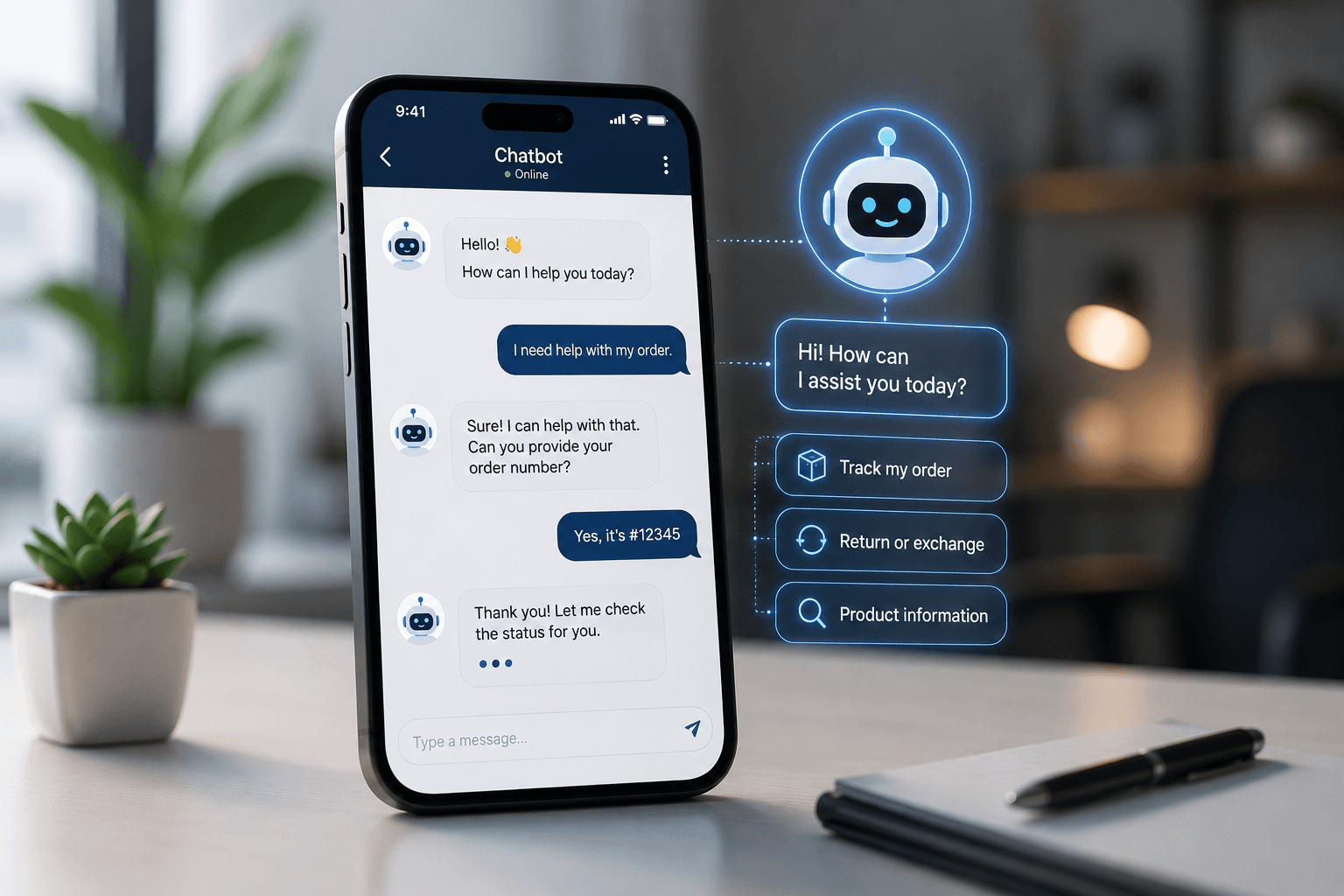
A WISMO chatbot performs a live lookup against your connected fulfillment system and returns carrier name, tracking number, current shipment status, and estimated delivery date in a single response. The key integration requirement is reconciling fulfillment providers with carrier tracking systems so the bot returns one accurate answer rather than directing the customer to a carrier website.
AI Frontdesk reconciles fulfillment providers including ShipStation, ShipBob, and ShipHero with carriers such as UPS, FedEx, USPS, and DHL, alongside 800+ international carriers and tracking services including AfterShip and Narvar, into a single response across voice, chat, SMS, and marketplace channels.
Capturing after-hours leads with automated bots#
Every inbound contact that arrives outside staffed hours is either captured and qualified automatically or handed to a competitor. A chatbot configured for after-hours lead capture does more than collect a name and email. It qualifies intent, extracts structured data, and triggers follow-up before the business day starts.
AI lead triage for after-hours inbound#
Lead triage over chat follows the same qualification logic as a sales call: primary need, timeline, and purchase intent. A bot that surfaces these details during an after-hours session returns a structured lead record to the sales team rather than an untagged form submission.
The rep who reviews the queue the next morning sees a lead with intent and context already populated rather than a raw contact with no history.
Automating after-hours meeting bookings#
Appointment booking at the point of contact is meaningfully more effective than sending a calendar link and waiting for the prospect to self-schedule. A bot that books directly into the sales team's calendar during the qualification conversation removes the friction of a follow-up step that prospects frequently do not complete.
AI Frontdesk handles appointment scheduling during live chat and voice conversations without staff involvement. See an example of this configuration in the AI receptionist setup walkthrough. The confirmed appointment and all conversation details log to the CRM automatically before any human reviews the record. For an example of what a connected capture-to-follow-up workflow produces at the revenue level, Trade Recalls used AI Frontdesk's outbound automation to generate $33,000+ in revenue in five days.
Managing seasonal volume spikes with AI#
Black Friday Cyber Monday (BFCM) and holiday surges create a binary problem. You can overstaff for the peak and carry excess cost year-round, or you can staff for average volume and accept service failures when contact rates triple. A chatbot that handles repetitive, transactional queries during these periods absorbs surge volume without requiring a hiring decision.
Handling BFCM spikes with chatbots#
The queries that flood a retail support queue during BFCM are predictable: order status, discount code validation, shipping cutoff dates, and gift availability. Each of these is resolvable through a chatbot with live system access, and none requires human judgment.
The same volume-absorption logic applies outside retail. For example, United Porté, a door manufacturer and distributor handling 1,600+ calls per month, deployed AI Frontdesk to replace missed calls and misrouted transfers with intent-based routing and overnight coverage across time zones, saving approximately 80 hours per month without adding headcount.
Maintaining SLAs during seasonal surges#
First response time is the metric most visible to customers during high-volume periods and the first to degrade when a queue exceeds agent capacity. A bot that handles the first response instantly, even if it only confirms a resolution timeline, keeps first response time low across all channels regardless of inbound volume and protects your Service Level Agreement (SLA) commitments.
The same first-response-time discipline applies outside retail. Samson Properties, managing 6,500+ agents across 47 offices, reached a 100% inbound call answer rate after deploying AI Frontdesk to centralize call handling and eliminate missed contacts. That consistency under high-volume conditions is what SLA compliance looks like in practice.
Tracking chatbot impact on conversion rates#
Boosting responsiveness with chatbots#
Chat responsiveness directly affects conversion rate: shoppers who cannot get an immediate answer at the moment of highest purchase intent move on. A bot that responds instantly regardless of queue depth holds the shopper in the conversation when it matters most.
AI Frontdesk logs every chat interaction to the CRM in real time, so if a shopper who engaged at 11 PM returns the next day through a different channel, the rep handling that follow-up contact sees the full prior conversation, not a blank record.
Boosting first-contact resolution efficiency#
First Contact Resolution (FCR) measures whether the customer's issue was fully resolved in the first interaction, without a follow-up contact, a ticket reopen, or an escalation. A chatbot that performs a live lookup and returns a complete answer raises FCR by removing the category of tickets that were previously deferred because an agent lacked real-time system access.
The FCR impact of a bot that resolves rather than defers holds across contact types and verticals. Clear Speech and Language achieved a 97% call resolution rate alongside a reduction of 100+ admin hours per month after deploying AI Frontdesk, which shows what happens to FCR when the bot resolves rather than defers.
Escalation rate to human agents#
Escalation rate is the inverse of containment rate, and it tells you where your knowledge base or workflow configuration is failing. A high escalation rate on a specific query type indicates either a gap in the knowledge base or a missing system integration.
Track escalations by query category rather than total volume to identify which specific flows need attention.
Scaling volume without hiring#
The core operational math is straightforward: if a chatbot handles the repetitive transactional queries that represent the majority of your inbound volume, your human agents spend their time on the contacts that actually require judgment. That division does not require adding headcount to handle volume growth.
Deploying your AI chatbot in four steps#
The most common deployment failure is going live before the knowledge base reflects actual customer queries. The sequence below front-loads the configuration work that determines bot quality before any customer interaction reaches the system.
Linking chatbot data to your helpdesk#
Connect the chatbot to your existing helpdesk before configuring anything else, because this determines how every conversation creates a support record. Without this connection, bot-handled conversations exist in a separate system from agent-handled ones, which recreates exactly the data reconciliation problem you are trying to eliminate.
AI Frontdesk connects natively to Gorgias, Zendesk, Re:amaze, Intercom, Help Scout, and Front for helpdesk handoff. Watch the free build-and-test walkthrough to see the integration configuration in practice.
Training the chatbot on your knowledge base#
Populate the knowledge base from your existing support documentation first: your top 20 FAQ answers, your return and shipping policies, and your product descriptions. Both the web chatbot and the AI voice receptionist draw from the same knowledge base.
Both channels sharing one knowledge base means a policy update applies everywhere simultaneously, which removes the risk of the chatbot giving a different answer than the voice agent because someone updated one system and forgot the other. The appliance repair receptionist setup video walks through the knowledge base configuration process in a format you can adapt for retail.
Setting AI routing and escalation rules#
Configure escalation rules before going live, not after the first incident. The rules that matter most are sentiment-triggered escalation, keyword-triggered escalation for specific high-stakes phrases, and query-type escalation for categories that require a human by default.
The escalation happens within the same session so the customer experiences a smooth handoff to the human agent who takes over.
Measuring conversions in pilot phase#
Run the first seven days with live traffic, not sandbox traffic. Synthetic test conversations do not produce the edge cases, misspellings, and non-standard phrasing that real customer queries contain, which means knowledge base gaps will not surface until you are in full production.
AI Frontdesk's 7-day free trial runs on live traffic from day one. Track first response time, FCR, escalation rate, and cost per resolution during the pilot and use the baseline to build the leadership ROI case before committing to a full rollout.
Critical considerations for deploying support chatbots#
How much does a customer service chatbot cost?#
Financial transparency on chatbot costs requires looking at the full cost model, not just the subscription line. The table below compares the four most common platform choices for retail operations teams.
Table 1: Subscription cost and overage model comparison
Platform | Base cost | Voice | Chat | Key inclusion |
|---|---|---|---|---|
AI Frontdesk | $99/month ($79 annual) | $0.25/min over 200 included | $0.05/conversation over 100 | Voice, chat, SMS, email, CRM, ticketing, outbound |
Zendesk Suite | Tiered per-agent pricing | Included (usage fees apply) | Included | Helpdesk, ticketing, voice options |
HubSpot Service Hub Professional | $90/seat/month + $1,500 onboarding | Included via Breeze AI | Included | CRM, helpdesk, live chat, voice |
Vapi AI | Usage-based | Per-minute voice API charges | Voice only | Developer-grade voice API |
HubSpot's CRM ecosystem and integration depth are real advantages for teams already running HubSpot across marketing and sales. Vapi AI provides developer-grade voice API control for teams with engineering resources, while AI Frontdesk ships voice and chat capability without development work required, alongside native CRM and ticketing that developer-focused platforms typically do not include.
When to escalate AI to live agents#
Configure AI to handle high-volume, transactional queries where the answer exists in a connected system: WISMO lookups, return eligibility checks, appointment booking, FAQ responses, and order status updates. Route to humans anything involving financial disputes, safety concerns, legal language, or a customer who has expressed sustained frustration beyond the sentiment threshold.
AI Frontdesk's escalation protocol uses real-time sentiment scoring plus keyword detection to identify when a conversation has crossed the threshold the bot should not handle alone. The handoff to a human happens within the same session so the customer does not experience a channel break.
Managing inbound volume by channel#
Not all contact channels carry the same query mix. Phone calls tend to carry the highest-urgency and highest-complexity contacts. Chat and SMS carry the highest volume of transactional queries. Email carries a longer tail of complex issues that benefit from asynchronous handling.
AI Frontdesk unifies all four channels under one subscription, with the AI voice receptionist handling inbound calls 24/7, the web chatbot handling website visitors, SMS automation handling two-way text conversations, and the email agent reading incoming Gmail threads and drafting replies automatically. Every channel feeds the same CRM and ticketing system, so there is no manual reconciliation when a customer contacts you through more than one channel.
Table 2: Retail support performance (before vs. after AI chatbot)
Metric | Human-only baseline | With AI chatbot |
|---|---|---|
First response time | Variable, often delayed during high volume | Instant, regardless of queue depth |
Cost per resolution | Industry reports vary widely | Lower per-interaction cost at scale |
WISMO ticket deflection | Manual lookup required | High automation potential with integrations |
After-hours coverage | Limited or requires overtime staffing | 24/7 coverage included |
Start your free trial of AI Frontdesk and measure your before/after metrics with live traffic over seven days. Book a demo with the AI Frontdesk team to see the self-updating CRM process a live call before committing.
FAQs#
How much does AI Frontdesk cost?#
The Business-in-a-Box plan costs $99/month, or $79/month billed annually, and includes 200 voice minutes, 100 web chatbot conversations, and 400 SMS per month. Overages are billed at $0.25/minute for voice, $0.05 per chatbot conversation, and $0.04 per SMS, so any business receiving more than 40 calls per month at an average of five minutes each should model overage costs before committing.
Does AI Frontdesk integrate with Shopify and Loop Returns?#
Yes. AI Frontdesk connects to Shopify, WooCommerce, BigCommerce, and Magento for eCommerce data, and to Loop Returns, Returnly, Happy Returns, Narvar, and AfterShip for return processing.
How does the chatbot escalate complex queries to human agents?#
AI Frontdesk can route to a live agent based on configured escalation triggers. Keyword detection for specific phrases can also trigger a handoff within the same session.
What percentage of WISMO tickets can a chatbot resolve without human help?#
When fulfillment systems are connected, a significant portion of standard WISMO queries can be resolved without human intervention. With a live integration into ShipStation, ShipBob, or ShipHero alongside carrier reconciliation through AfterShip or Narvar, the bot handles the full lookup and delivers a complete answer autonomously for many delivery status contacts.
Can AI Frontdesk support non-English-speaking customers?#
Yes. AI Frontdesk supports 20+ languages including Spanish, French, German, Portuguese, Japanese, Mandarin, Arabic, Russian, and Hindi at no additional cost. CSA Research found that 76% of online shoppers prefer buying from sites in their own language, and 40% will not buy from a site in a language they don't speak, making native-language support a direct conversion variable for cross-border and multilingual retail operations.
Key terms glossary#
WISMO (Where Is My Order): Post-purchase customer inquiries requesting order status, tracking numbers, and delivery dates. Automating WISMO responses requires live integration with your fulfillment and carrier systems.
Structured Data Extraction: Technology that extracts structured information from live conversations and writes fields directly to the CRM contact record without manual input.
FCR (First Contact Resolution): A support metric measuring the percentage of customer issues fully resolved during the first interaction, without a ticket reopen or follow-up contact. Higher FCR reduces repeat contact volume and cost per resolution.
Human-in-the-Loop: A design pattern where humans actively participate in the supervision, review, or decision-making of an AI-driven system to ensure accuracy, safety, and accountability. In customer support applications, this typically means humans guide or correct AI outputs and retain final judgment on complex, high-stakes, or emotionally charged interactions.
RMA (Return Merchandise Authorization): A formal approval process that authorizes a customer to return a product. The RMA includes a unique tracking number and initiates the return logistics and refund or exchange workflow. Automated chatbots can support RMA workflows when connected to returns management platforms.


